Email Builder Has Been Updated
-
To give a better User Experience with searchable folders and help in organizing a smooth experience
-
To give a better representation of Email Statistics
-
To provide more flexibility for building repetitive brand layout with Email templates and Email Campaigns that allows you to deliver messages to your customer.
Old Email Marketing Flow
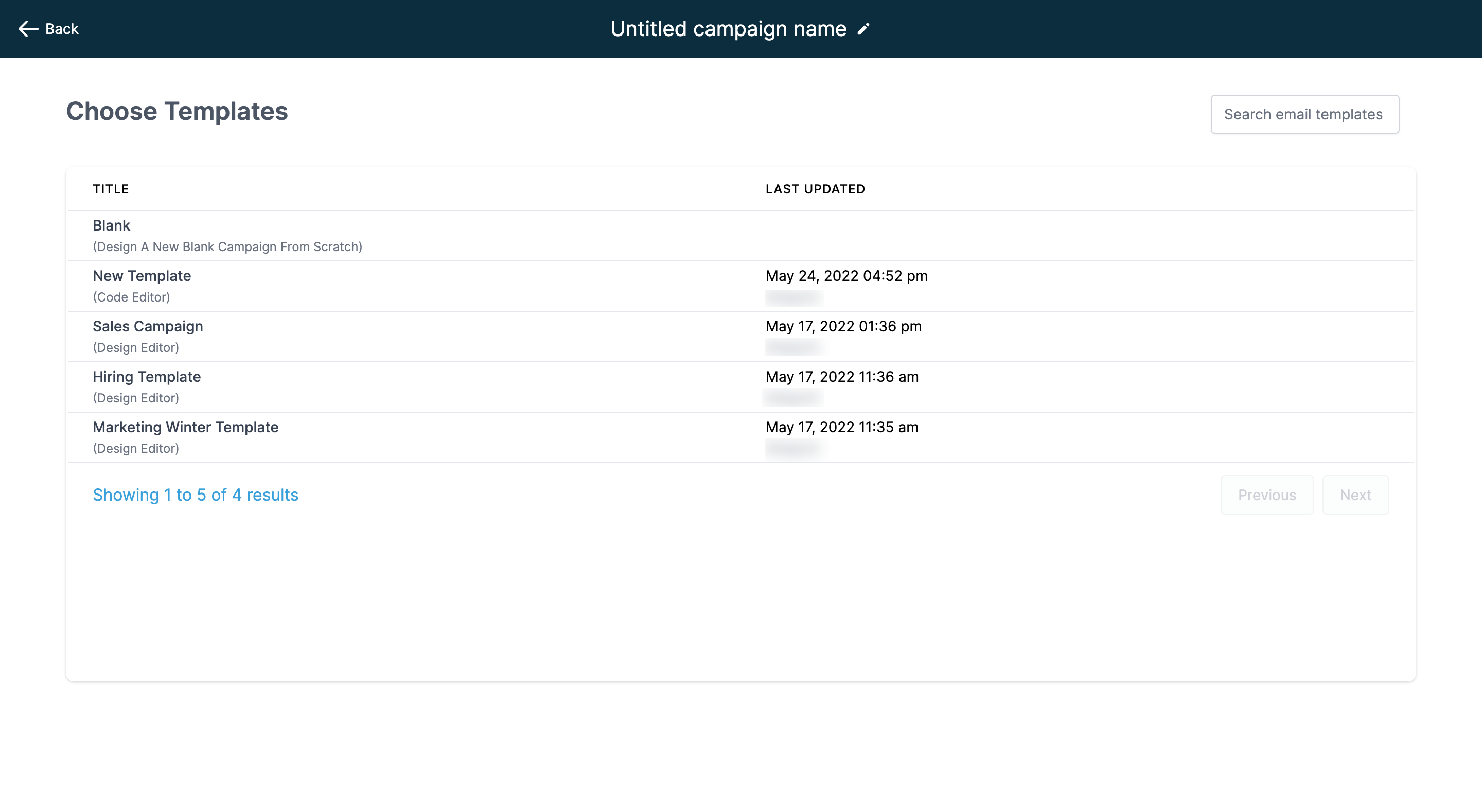
To create the Campaign with Create Email option, you would select the templates defined in the system and build their content on top of the templates.
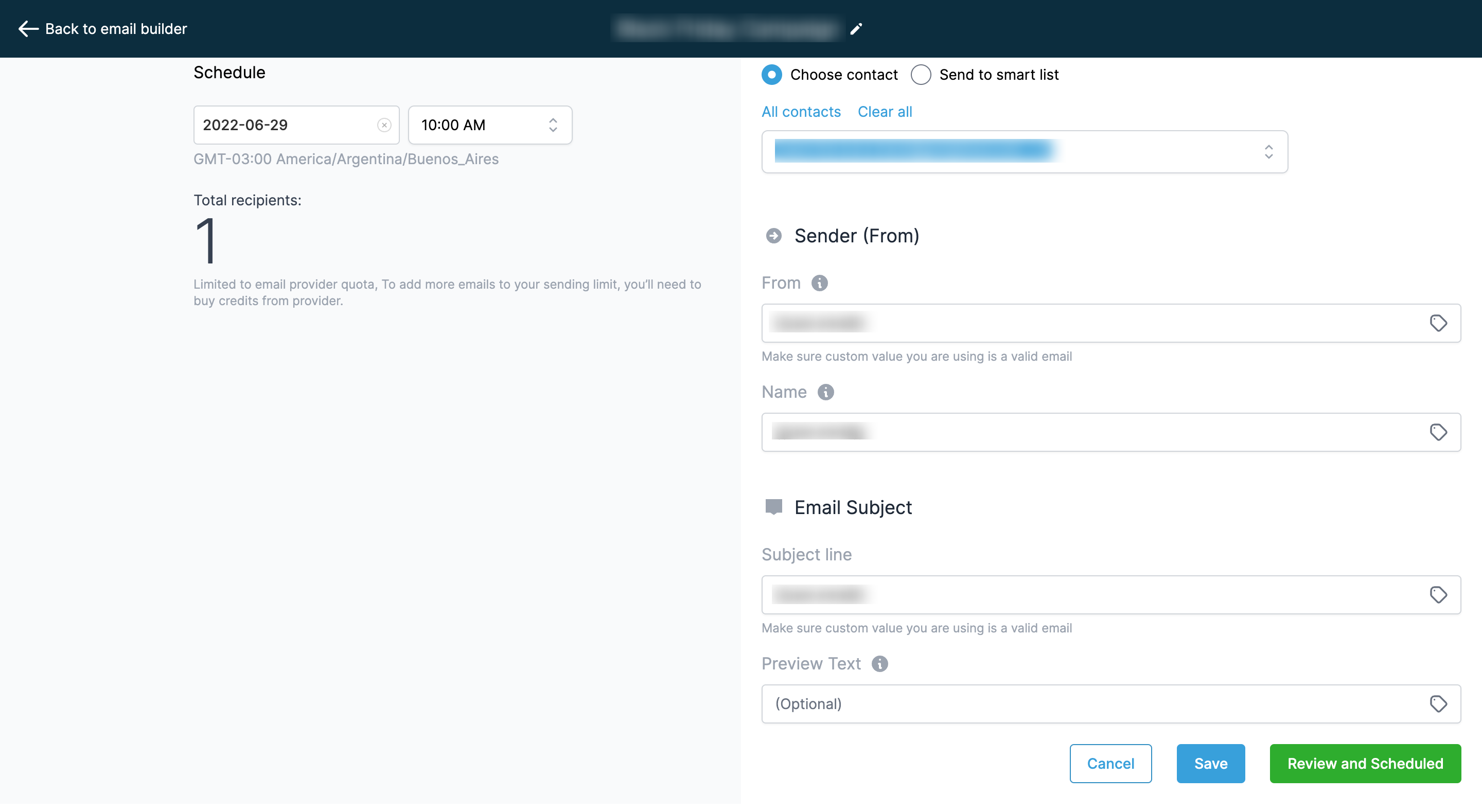
Then click the “Review and send” to set up the email settings with subject lines and Send or Schedule with the setup of delivery method. We had the statistical representation of both email campaign and email template stats together, which accounted for jumbled data.
New Email Flow
Emails now have two menus with Email Campaigns and Templates. An email template is where you add the brand layout/design of the email and an “Email Campaign” is where you add a message and delivery options for sending to customers/ leads.
Templates
-
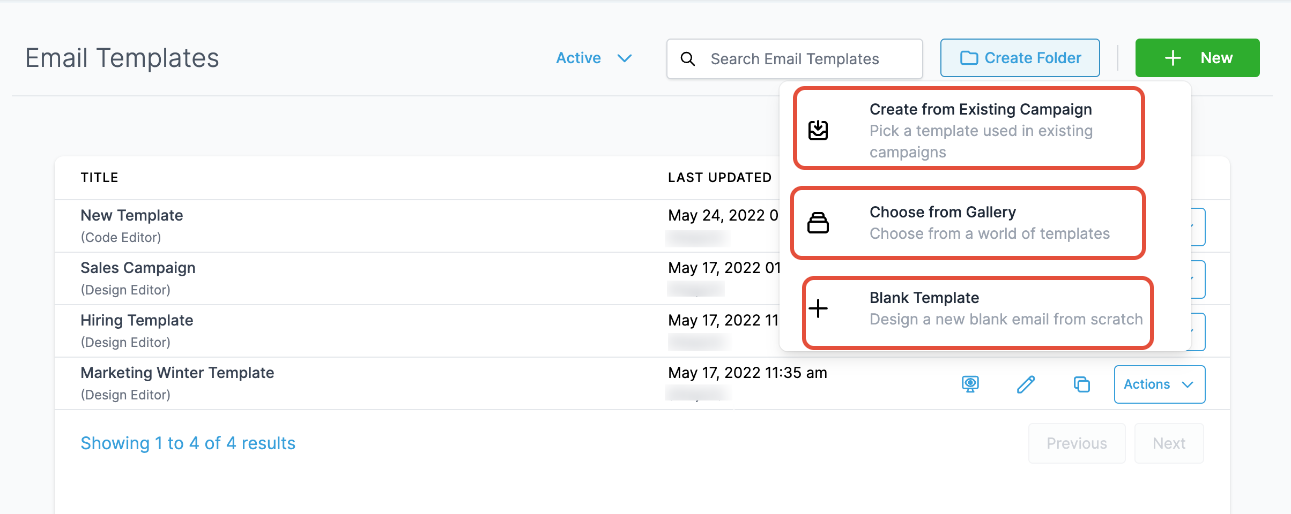
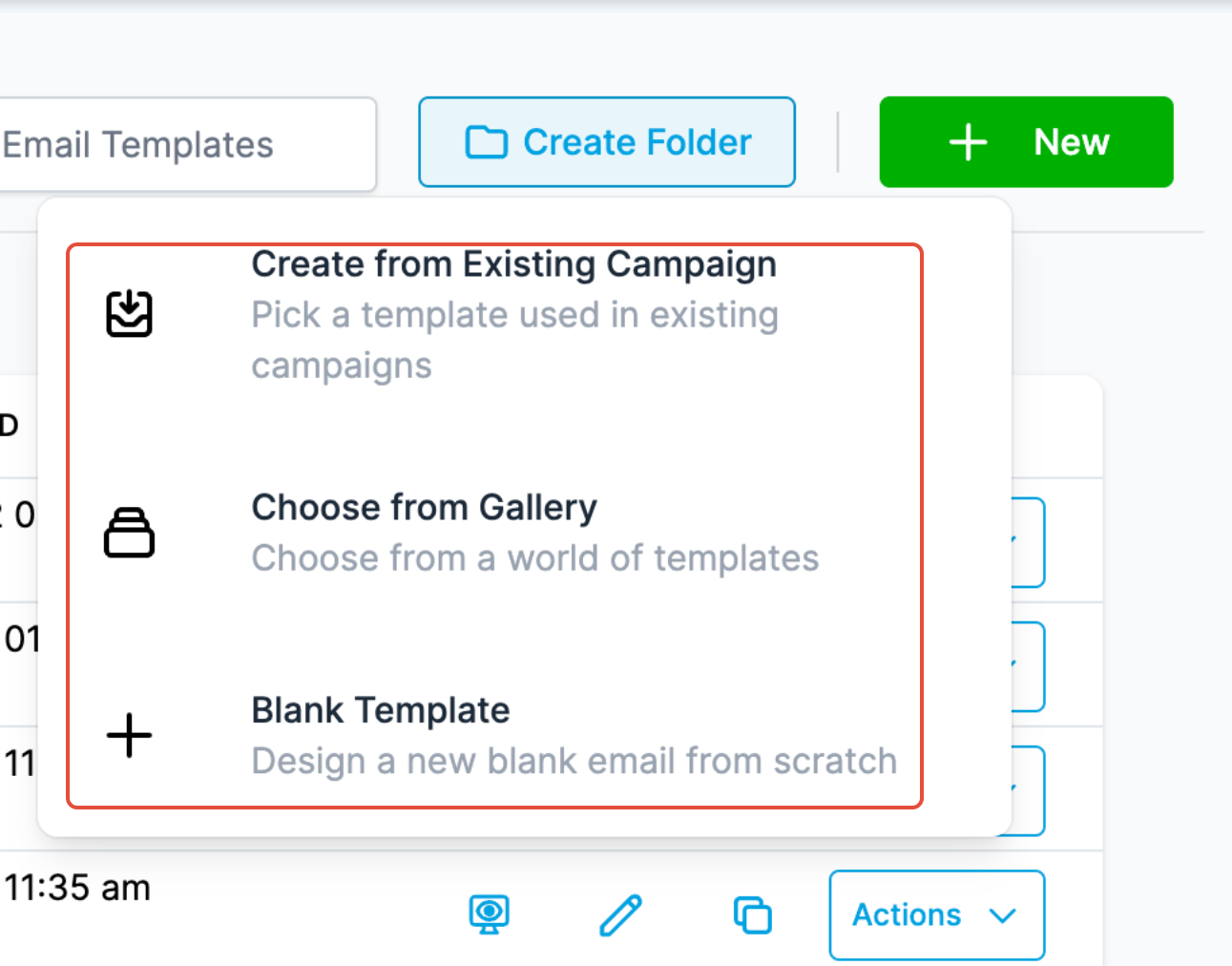
You can create templates via:
-
- Template Library
- Create Templates by reusing the Campaigns which are sent or scheduled,
- Blank Template (Either using Design Editor or Code Editor)
2. You can test the email template, preview and view the version history
3. You can create Folders for managing multiple templates.
Campaigns
-
You can create a Campaign and choose the template they would like to use. There is a preview available too.
-
You can edit the look and feel and add the required blocks they need to send as a message to their customers.
-
Click the Send and Schedule to select the audience of the campaign like an email address or smartlist, add sender details, and subject line, and set up the delivery method
-
Send Now
-
Schedule
-
Batch Schedule
-
RSS Schedule
-
-
You can test the email campaign, preview and view the version history
-
You can create Folders for managing multiple campaigns.
-
You can reschedule the email one hour before the scheduled campaign. They can edit the block elements and update the schedule delivery modes. [Note - This is applicable for Schedule, Batch Schedule, and RSS Schedule]
-
Users will be able to update email content during the campaign is running for Schedule, RSS and Batch Schedule Delivery before our servers start preparing it for delivery on the scheduled time. [Note - There will be cases that it will get sent with the old copy sometime as we can't control the delivery sequence in servers.]
-
Better Statistic Representation with numbers and percentages, preview, delivery data, and advanced analytics of who clicked, opened, bounced, spam, and more.